Studio role
UX Strategy, Conversational UX, Product Design, UI Design, Design System, prototypes, microcopy and development-ready handoff.
Context
In a saturated onboarding platform market, Grupo Salinas needed a clearer and more differentiated proposal for Banco Azteca: an experience capable of solving identity validation without relying on the traditional form pattern.
The process combined document capture, biometric validation, OCR automation, KYC requirements and user trust. The opportunity was not just to redesign screens, but to turn a complex flow into a guided conversation that required less effort and gave users more certainty at every step.
Challenge
The challenge was to reduce drop-off and errors in a sensitive process without sacrificing security, compliance or trust. Existing flows could feel long, technical and unclear: users did not always understand what was being requested, why a capture failed or how much was left to finish.
A poorly framed AI layer could make the experience even more opaque. The solution had to do the opposite: use automation, intelligent reading and contextual guidance so the system could explain, correct and support users before they failed.
Objective
The business objective was to increase conversion in sign-up processes and reduce operational friction in identity validations.
From an experience perspective, the objective was to reduce uncertainty and cognitive load through a guided conversation, with clear instructions, timely feedback and error recovery.
From a product perspective, the goal was to create a modular suite that could adapt to different onboarding scenarios. From design, the focus was to build a consistent, secure and engineering-ready system.
Approach
The work started from pain points observed in real onboarding products: lengthy processes, failed captures, ambiguous instructions, uncertainty and operational costs when validations had to be repeated or reviewed manually.
From that diagnosis, we designed a conversational flow built around one decision at a time. AI and automation were not treated as isolated features, but as a transversal layer to guide, validate, auto-fill and recover the flow when something went wrong.
Solution
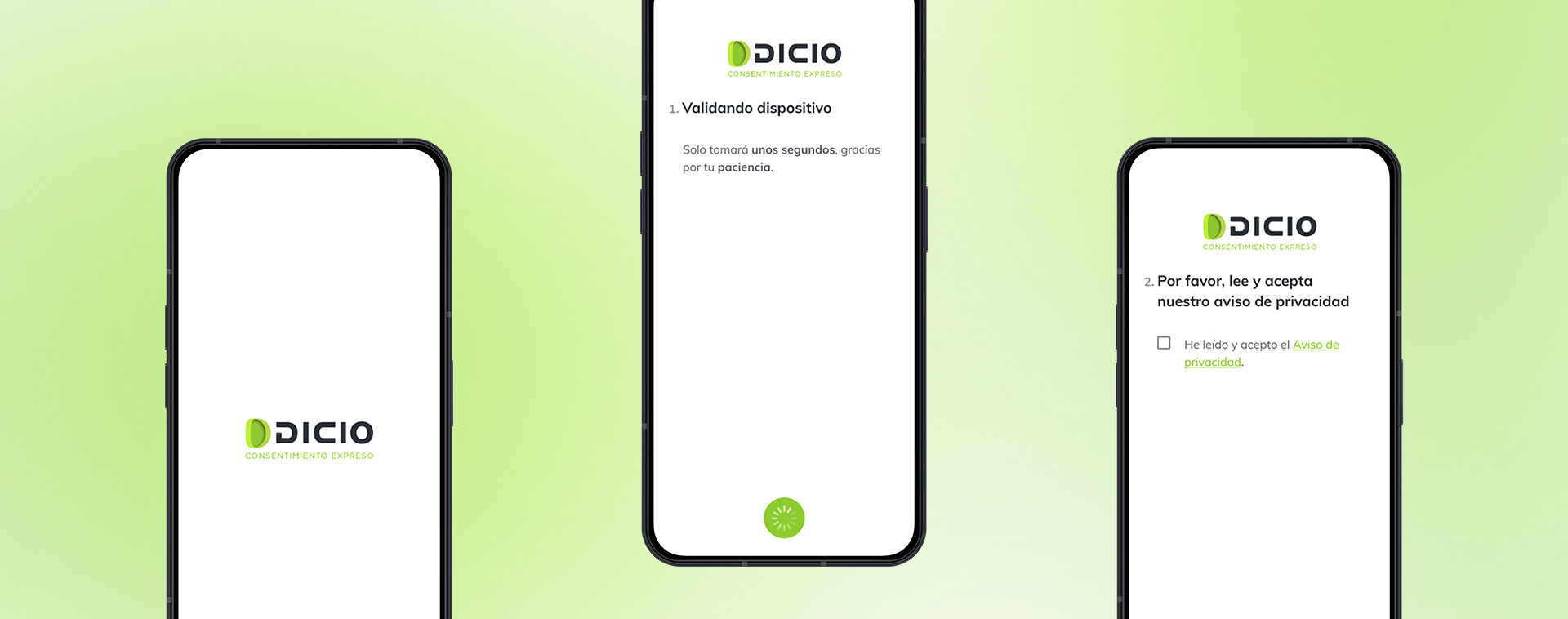
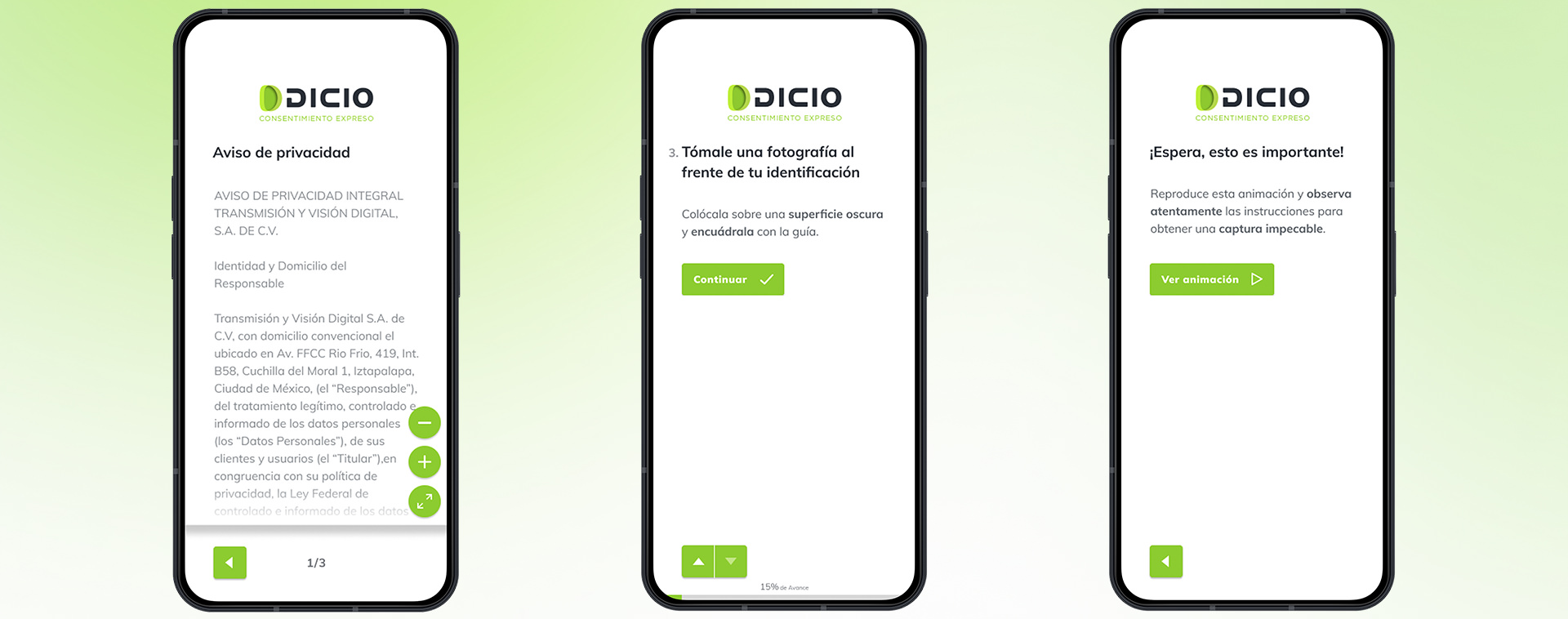
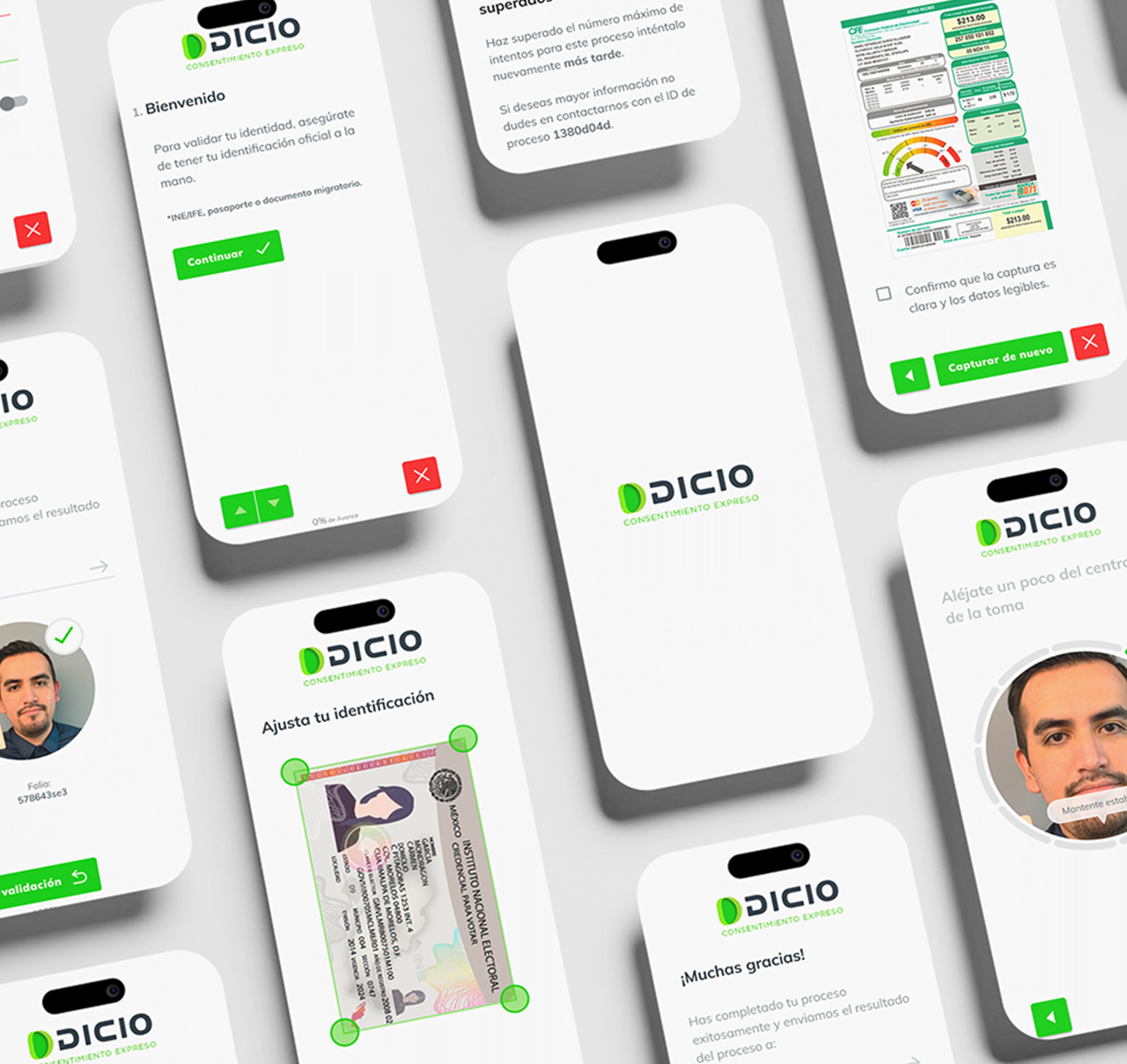
The solution transformed onboarding into an AI-guided experience: the system asks for one action at a time, explains context through clear microcopy and uses capture signals to guide users in real time.
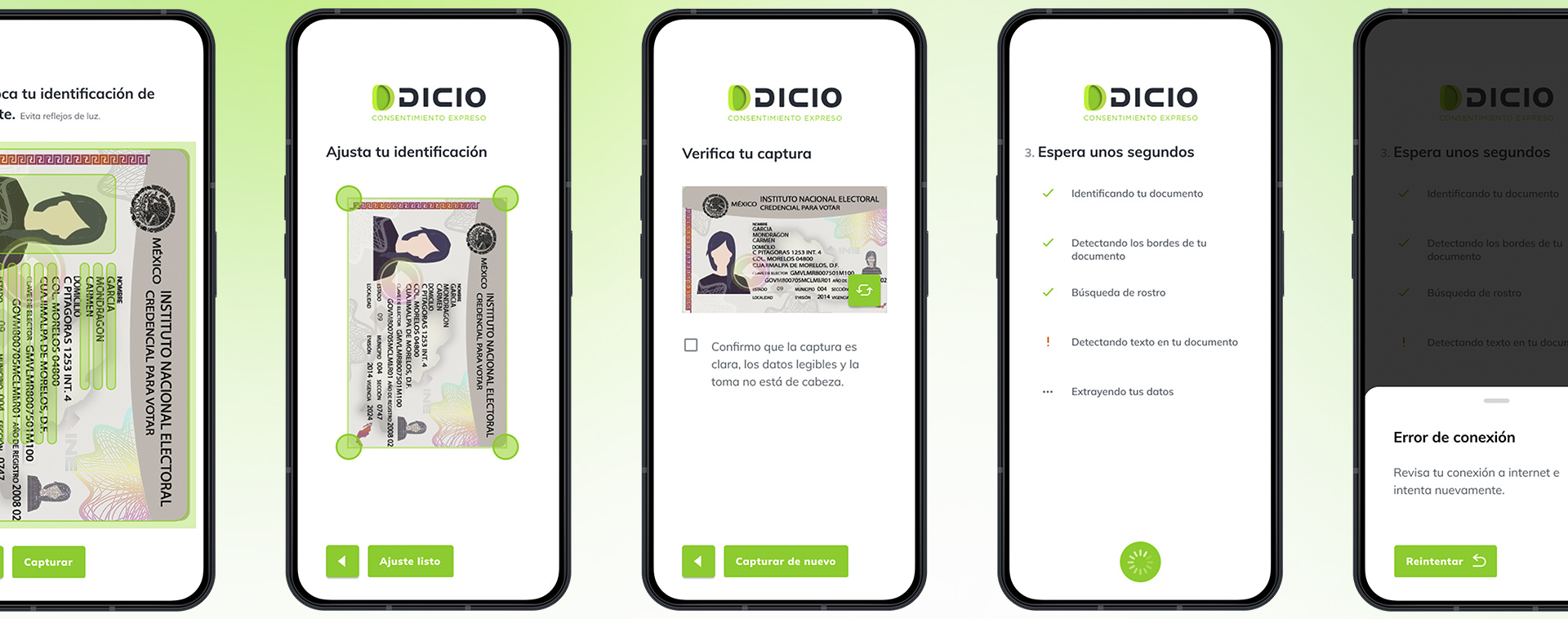
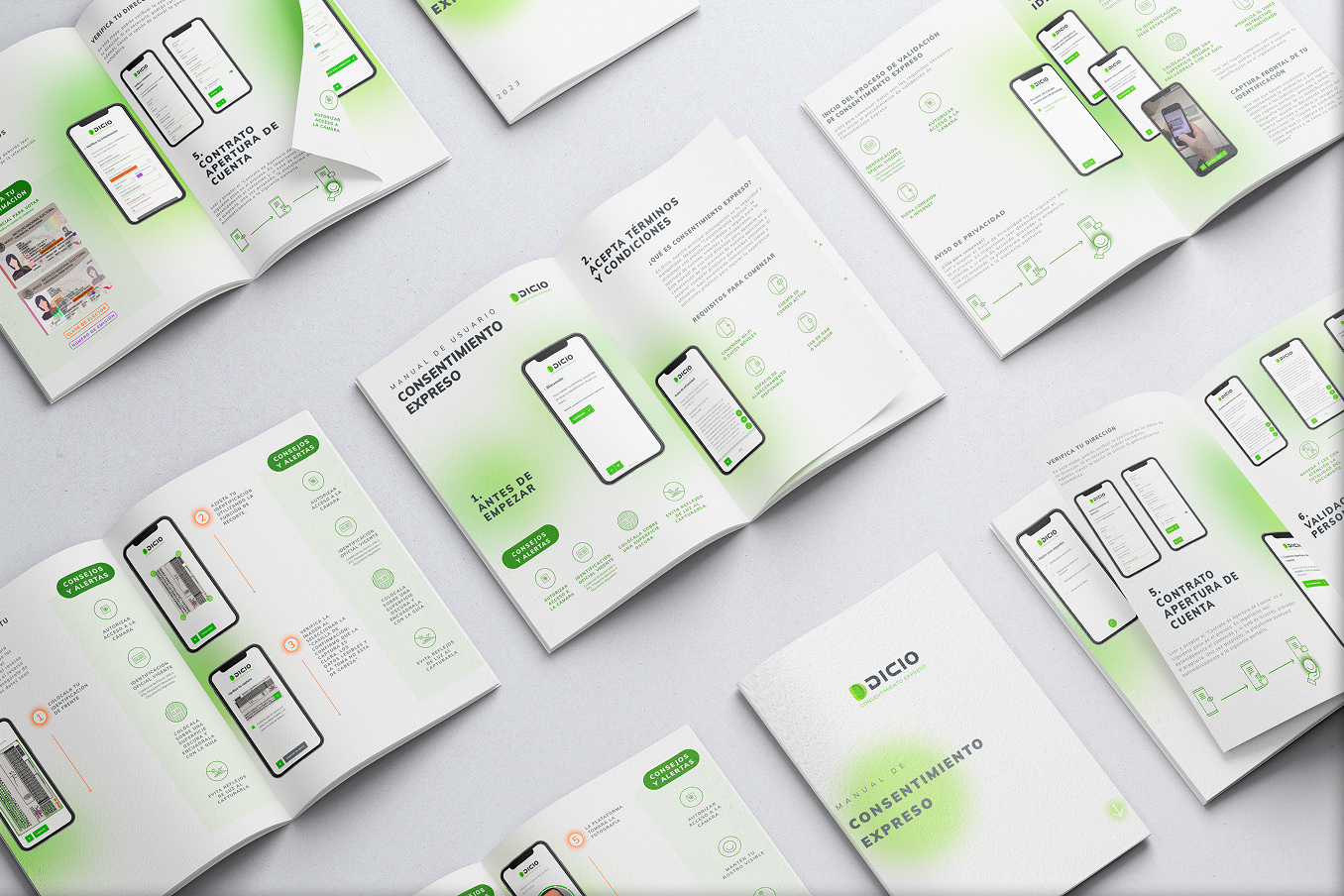
OCR reduces manual input and changes the user role: they stop transcribing data and become supervisors of the detected information. Smart capture helps prevent errors before submission, with guidance around light, distance, position and stability. The PWA removes the friction of installing an app and lets the flow live on any device.
The visual and component system was designed to scale: conversation patterns, states, validations, errors, confirmations and components were documented to support new onboarding variants without rebuilding the base experience.
Designed modules
Conversational flow to request one piece of information or action at a time, reducing noise and simultaneous decisions.
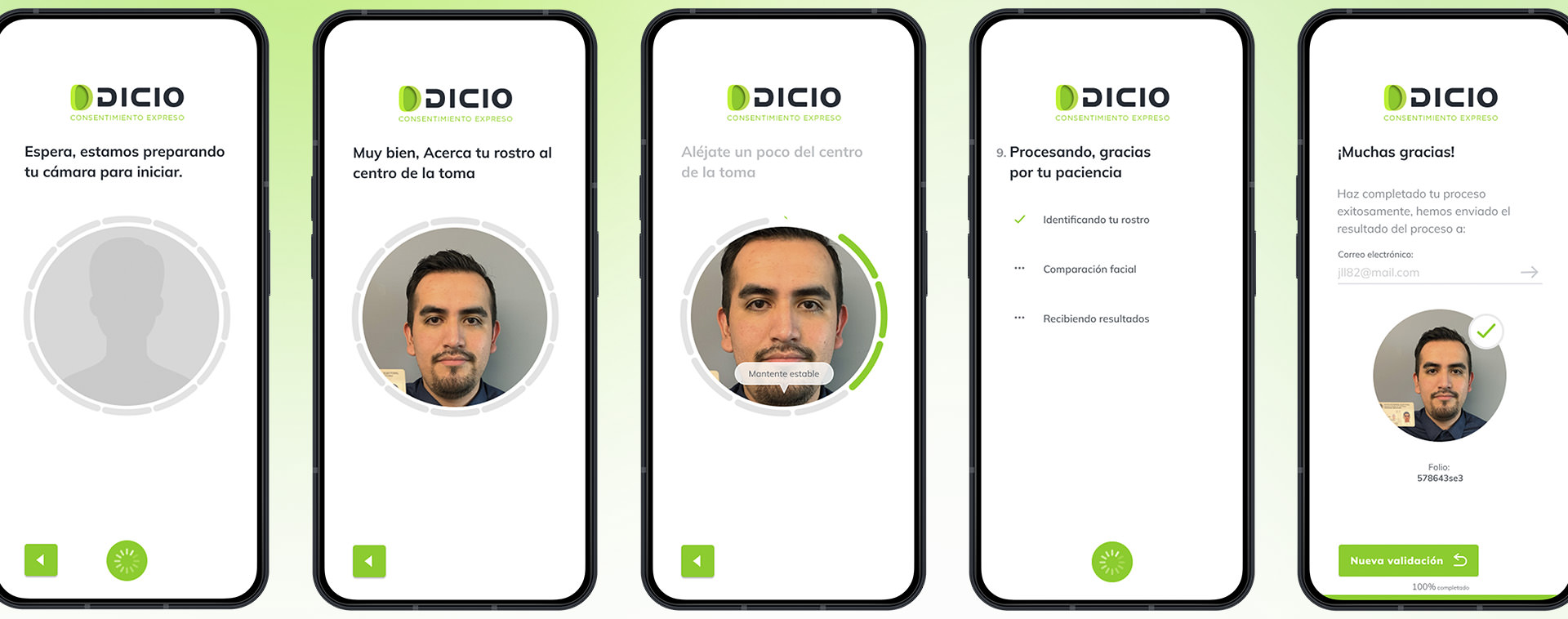
Smart capture to guide users before submission, with visual signals and contextual microcopy.
OCR and auto-fill to reduce manual input and turn users into supervisors of detected information.
Identity validation and biometrics organized as an understandable sequence, not as a technical procedure.
PWA to remove the installation barrier and enable access from any device.
Design System and component library to document states, patterns, validations and development handoff.
Proposed KPIs
Recommended post-launch indicators include onboarding completion rate, average time to complete sign-up, drop-off by step, failed capture attempts, OCR data correction rate, percentage of validations requiring manual review, operational cost per completed sign-up, recovery after error and user satisfaction at the end of the flow.
These KPIs are proposed measurement criteria for evaluating the platform; they are not presented as obtained results.
Deliverables
The work covered UX flows, conversation architecture, wireframes, prototypes, final UI, microcopy, state patterns, smart capture design, functional documentation, Figma design system, component library and development-ready handoff assets.
Results
The work established a clearer, modular and development-ready onboarding suite, with a product logic capable of combining conversational experience, automation and regulatory requirements.
More than a new interface, the project established a way to design identity processes where AI works as contextual guidance: reducing uncertainty, improving error prevention and helping users move forward with greater confidence.
Expected impact
The expected impact relates to increasing sign-up completion, reducing capture errors, lowering manual reviews, improving perceived trust and allowing new onboarding variants to be built on the same system.
The platform also establishes a base for more adaptive experiences, where AI can adjust instructions, recovery and flow paths according to user context.
Learnings
AI in onboarding should not feel like a black box. Its value appears when it reduces cognitive load, explains the next step and turns complex validations into simple decisions for the user.
The best onboarding does not ask for patience: it guides, validates and corrects before the user fails.DMX Studio
Gallery